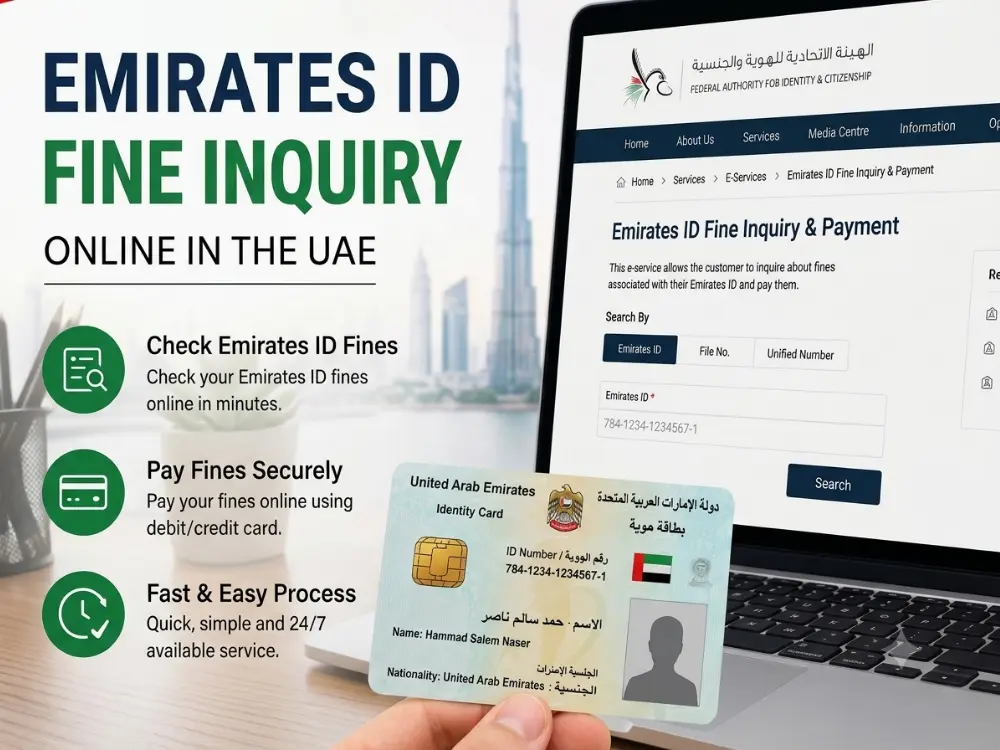
An Emirates ID fine check online helps you find fines linked to your personal or residency record, but there is no single portal that shows every type of UAE fine. For a quick ID fine check online, sign in to the MOI UAE app or website with UAE PASS, which is linked to your Emirates ID, to see traffic fines from all seven emirates.
The right place depends on what kind of fine you are checking. For Dubai immigration or residency fines, GDRFA Dubai’s Fines Inquiry service lets you search using your Emirates ID, file number, UDB number, or passport number. Traffic fines are handled through platforms such as MOI, Dubai Police, Abu Dhabi Police, TAMM, RTA, and other emirate-specific services.
This guide shows you how to check fines using your Emirates ID, which portal to use for each type of fine, how to pay, and what to do if a fine does not appear.
Can You Check Fines With Just Your Emirates ID?
Sometimes, yes, but it depends on the type of fine and the authority that issued it.
Your Emirates ID can be used to check certain personal, residency, and traffic-related records. For example, the official GDRFA Dubai Fines Inquiry service lets you search for fines using your Emirates ID, passport number, file number, or UDB number.
For most government apps and portals, signing in with UAE Pass, which uses your Emirates ID, is what links the fines to you.
However, there is no single public search that automatically shows every fine in the UAE. The search method depends on the type of penalty:
Immigration or overstay fines: Dubai visa holders can use GDRFA Dubai’s Fines Inquiry service with their Emirates ID or other available search details. Other emirates generally use ICP for federal immigration records.
Traffic fines: Depending on the authority, you may need your vehicle plate number, driving licence, traffic file number, or fine number, or a UAE Pass login. To confirm the licence itself is still valid, follow our UAE driving licence check guide.
Vehicle-related fines: A violation may be recorded against the vehicle rather than directly against your personal Emirates ID. This is especially important for rental cars or company vehicles.
Public searches: Some platforms, such as Dubai Police, also allow you to search without UAE Pass by entering a plate number, licence number or traffic file number.
So, if an Emirates ID search does not show the fine you are looking for, try the vehicle, licence, traffic-file, or immigration-file details instead.
Emirates ID Fine Check Online: Step by Step
The fastest route for traffic fines is the official MOI UAE app or website, which covers all seven emirates in one place.
The MOI UAE app (all emirates)
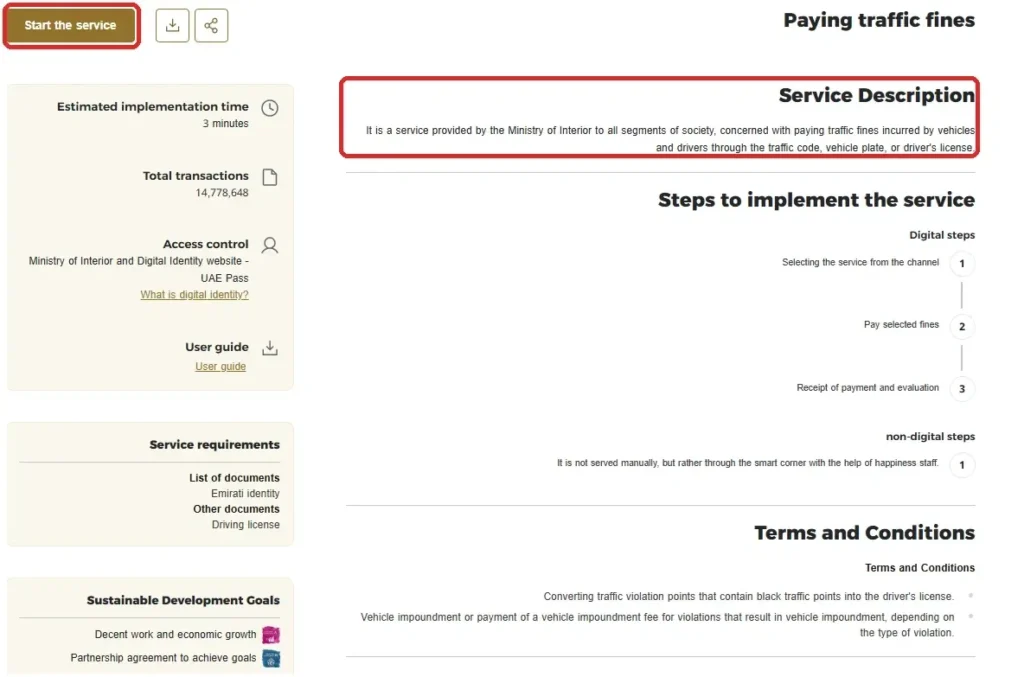
Open the MOI UAE app, or go to moi.gov.ae and open the “Paying traffic fines” service.
Log in with UAE Pass.
Search by your traffic code (TC), vehicle plate number or driving licence number.
Your fines appear with the amount, reason, and date, and you can pay them in the same place.
Dubai Police (no login needed)
For Dubai traffic violations, use the official Dubai Police Fines Inquiry and Payment service.
The service covers traffic violations registered against a vehicle plate, driving licence, or traffic code. Dubai Police also provides UAE Pass login for its digital services. For the full Dubai process, see our Dubai RTA fine check guide.
If your fine is related to a Dubai residence or immigration file rather than a traffic violation, use the GDRFA Fines Inquiry service instead.
Emirates ID Fine Check Online by Emirate
There is no single portal that displays every fine in the UAE. The correct platform depends on the emirate and type of fine.
Emirate
Traffic / Police Fines
Immigration / Residency Fines
Dubai
Dubai Police, RTA, MOI
GDRFA Dubai
Abu Dhabi
Abu Dhabi Police, TAMM
ICP
Sharjah
Sharjah Police, MOI
ICP
Ajman
MOI, Ajman Police
ICP
Umm Al Quwain
MOI / local authority
ICP
Ras Al Khaimah
MOI / RAK Police
ICP
Fujairah
MOI / Fujairah Police
ICP
For a Dubai immigration fine, GDRFA’s official inquiry service lets you search using your Emirates ID, passport, file number, or UDB number.
For traffic fines, use the relevant police or transport authority, or the MOI app.
Emirates ID Fine Check in Sharjah
For an Emirates ID fine check in Sharjah, log in to the MOI UAE app with UAE PASS to see traffic fines linked to your traffic file, or use Sharjah Police services. Residency and visa fines for Sharjah are handled by ICP. Our Sharjah traffic fines check guide covers plate number and traffic code searches.
Abu Dhabi ID Fine Check Online (TAMM and Police)
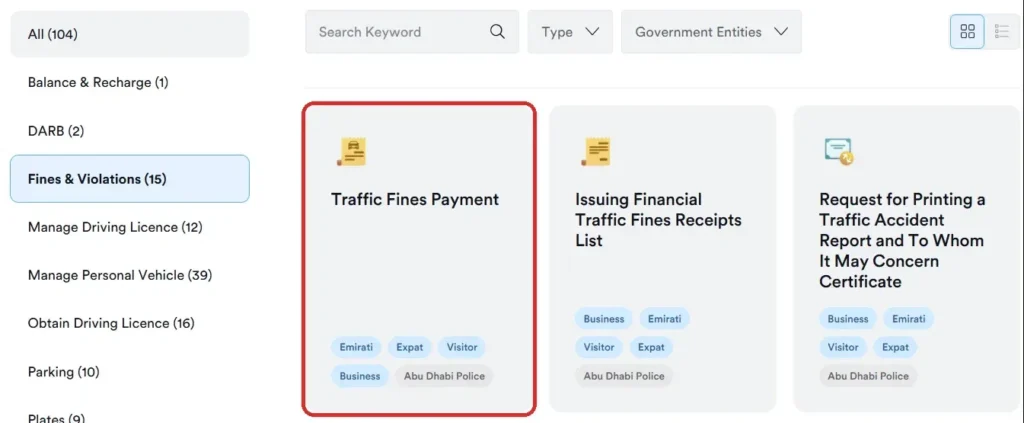
Abu Dhabi runs its services through TAMM. Log in with UAE Pass, go to Drive & Transport, then Fines & Violations, and open Traffic Fines Payment. Your fines linked to your Emirates ID appear after login. You can also use the Abu Dhabi Police app or a Sahl kiosk.
The word “fine” covers several different penalties in the UAE. The authority you need depends on what caused the fine.
Fine type
Where to check
Traffic fines
MOI, Dubai Police, RTA, Abu Dhabi Police, Sharjah Police and relevant emirate authority
Visa or overstay fines
GDRFA Dubai or ICP
Emirates ID late-renewal fine
ICP
Municipality fines
Relevant municipality or local authority
Labour-related fines
MOHRE or the relevant free-zone authority
Traffic fines are governed under the UAE’s federal traffic legislation, while immigration and residency penalties are handled through the relevant immigration authority.
Emirates ID Fine vs Traffic Fine: What’s the Difference?
An Emirates ID fine and a traffic fine are not necessarily the same thing.
An Emirates ID search can be used to find certain personal or immigration-related fines, while traffic violations are often recorded against a vehicle, driving licence, traffic code, or traffic file.
For example:
Overstay fine: Check GDRFA Dubai or ICP.
Speeding fine: Check the relevant traffic authority.
Parking violation: Check the authority that issued the parking fine.
Emirates ID late-renewal penalty: Check ICP.
This distinction matters because searching with your Emirates ID may not return a traffic violation that is recorded against another identifier.
Checking Visa and Residency Fines by Emirates ID
Overstay and residency fines are not traffic fines, so they live on a different system.
Check them on the GDRFA Dubai site for Dubai visas, or ICP Smart Services for the other emirates. Enter your Emirates ID or your visa file number. These fines are tied to your residency record, so your Emirates ID usually pulls them up. If you’re unsure whether your visa itself is still active before you go looking for a fine, our guide to checking your UAE visa status walks through that separately, and our UAE visa overstay fine check guide covers overstay amounts.
The Emirates ID’s Own Late-Renewal Fine
Sometimes the fine you are looking for is on the Emirates ID itself.
If you renew your Emirates ID late, ICP charges AED 20 per day after a 30-day grace period, capped at a maximum of AED 1,000. You see this amount when you process the renewal through ICP. Renewing on time is the easy way to avoid it, and an Emirates ID status check shows your card’s expiry date.
Why a Fine May Not Appear Yet
A fine may not appear immediately after a violation.
The record may still be processing, or the fine may be attached to a vehicle, driving licence, traffic file, or another record rather than your Emirates ID.
If you cannot find a fine:
Check again later if the violation happened recently.
Try the vehicle plate number or driving licence number.
Check the traffic authority that issued the violation.
For immigration fines, check GDRFA Dubai or ICP instead.
If the record still cannot be found, contact the issuing authority.
This is especially important for vehicle-related fines because the search method can be different from a personal Emirates ID inquiry.
How to Pay Your Emirates ID Fine Online?
Once you find a fine, you can usually pay it in the same place.
Select the fine and choose to pay online.
Pay by debit or credit card through the official government gateway.
Download the receipt. Simple fines clear right away.
You do not need physical documents to pay, though it helps to have the fine number or traffic file number ready. For large traffic fines, some emirates allow payment in instalments.
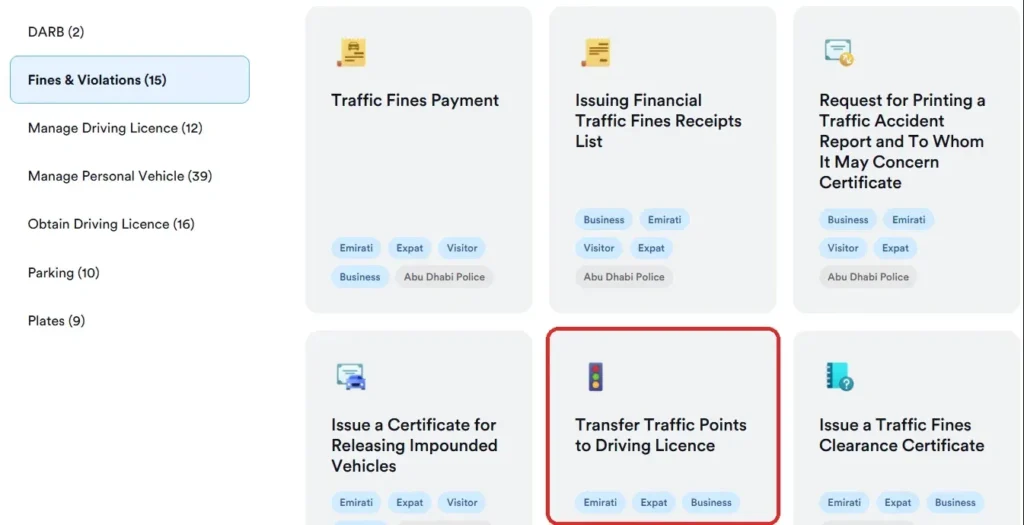
One catch to know: a fine that carries black points can show as “non-payable” or “locked” when the violation is tied to the vehicle and not yet to a driver. In Abu Dhabi, for example, TAMM has a “Transfer Traffic Points to Driving Licence” service. You log in with UAE Pass, transfer the points to the correct driving licence, confirm, and then pay. You cannot clear a black-point fine as an anonymous guest.
Fine Discounts, Black Points, and Impoundment
Traffic fines are more than money, so check the full details, not just the amount.
Discounts. Early-payment discounts and waiver campaigns come from the police, such as Dubai Police or Abu Dhabi Police, or the MOI, not the RTA. Abu Dhabi and Sharjah, for example, offer 35% off when traffic fines are paid within 60 days. Any discount that applies shows against your fine when you pay.
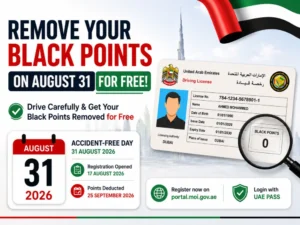
Black points. Serious traffic violations can add black points to a driver’s record. Reaching 24 points leads to a licence suspension. Our guide on how to remove black points from a licence in the UAE explains the options.
Impoundment. Serious offences can lead to your vehicle being impounded.
Registration block. Unpaid fines can stop you from renewing your vehicle registration, so clear them early.
How to Dispute or Object to a Fine?
If you believe a fine is incorrect, you may be able to challenge it through the authority that issued it. The process and deadline depend on the emirate, type of violation, and issuing authority.
Dispute it with the authority that issued it, not just any platform. Police fines like speeding and red-light violations go through the police; in Dubai, that means the Dubai Police app or website, or the Public Prosecution. Parking and transport fines go through the RTA, Parkin for Dubai paid parking, or the relevant transport authority in other emirates. Each emirate has its own appeal channel, so always use the official platform of the issuer.
What If You Have No Fine on Your Emirates ID?
If the official checker shows no fine, that does not necessarily mean there are no fines anywhere in the UAE.
The fine may be recorded against a different identifier.
For example:
A traffic fine may be linked to a vehicle plate.
A driving violation may be linked to a driving licence.
A residency fine may be linked to your immigration file.
A fine issued by a municipality or another authority may use a separate system.
If you expected a fine to appear, check the authority that issued it using the alternative search details available on that platform.
Use Only Official Government Portals
A clear warning. Only official platforms, the MOI UAE app, Dubai Police, Abu Dhabi’s TAMM, the RTA, Sharjah Police, GDRFA, and ICP, can show your real fines and take payment safely.
Many third-party sites copy the look of an official checker to harvest your Emirates ID, card, or login details. Never enter those on an unofficial “check” site. If a page is not on a government (.gov.ae) or official domain, do not trust it with your data.
Conclusion
An Emirates ID fine check online is not limited to one UAE-wide checker. The right service depends on the type of fine.
For Dubai immigration or residency fines, use GDRFA’s Fines Inquiry service. For traffic violations, use MOI, Dubai Police, RTA, Abu Dhabi Police, TAMM, or the relevant emirate authority.
If a fine does not appear under your Emirates ID, try the vehicle plate, driving licence, traffic file, or immigration file number instead.
Most importantly, use official government platforms when checking or paying a fine.
Frequently Asked Questions
How to check the fine on Emirates ID?
Log in with UAE Pass on the MOI UAE app or your emirate’s police portal and open the fines section. On platforms like TAMM in Abu Dhabi, the UAE Pass login is what ties the fines to your Emirates ID, so you cannot pull them with the number alone in a guest search. For immigration fines, GDRFA Dubai lets you search by Emirates ID directly.
How to check Emirates ID fine online for free?
It is free. Use the official MOI UAE app, Dubai Police, TAMM, RTA, or Sharjah Police. There is no charge to view your fines, you only pay the fine amount itself.
Can I check my fine with just my Emirates ID number?
For traffic fines, usually not in a guest search. You either log in with UAE Pass or search by plate, licence or traffic file number. Residency and overstay fines do show by Emirates ID or file number on GDRFA or ICP.
Is there one app to check fines across all emirates?
For traffic fines, the MOI UAE app is the closest to a single nationwide checker. It shows fines from across the emirates once you log in with UAE Pass. Immigration and municipality fines are still checked on their own platforms.
How do I do an Abu Dhabi police fine check by Emirates ID?
Log in to TAMM with UAE Pass, then open Drive & Transport, Fines & Violations, and Traffic Fines Payment. The Abu Dhabi Police app and Sahl kiosks can also check and take payment.
Is there one website to check all UAE fines?
No. There is no single portal that necessarily displays every type of UAE fine. Traffic, immigration, residency, municipality, and other penalties may be handled by different authorities.
Why can’t I find a traffic fine using my Emirates ID?
The fine may be recorded against your vehicle plate, driving licence, traffic code, or traffic file rather than your Emirates ID. Try the alternative search method provided by the authority that issued the violation.
Can I check Dubai immigration fines with my Emirates ID?
Yes. GDRFA Dubai’s official Fines Inquiry service allows you to select Emirates ID as the search type and check fines on your file or those under your sponsorship.
How can I check visa or overstay fines linked to my Emirates ID?
Use the GDRFA Dubai site for a Dubai visa, or ICP Smart Services for other emirates. Enter your Emirates ID or visa file number.
What is the Emirates ID late-renewal fine?
ICP charges AED 20 per day after a 30-day grace period, up to a maximum of AED 1,000.
Why do some fines not show under my Emirates ID?
Because they are recorded against a vehicle, not a person. For those, search using the plate number, plate code, or traffic file number on the right emirate’s platform.
Can I pay my Emirates ID fine online?
Yes. Select the fine on the official portal, pay by card through the government gateway, and download the receipt. Simple fines clear right away. A fine carrying black points may first need the points transferred to your driving licence after a UAE Pass login.
Where can I do an ID fine check online for all emirates?
On the MOI UAE app or website. Sign in with UAE PASS, which is linked to your Emirates ID, to see traffic fines from all seven emirates in one place. Residency fines are checked separately with ICP or GDRFA Dubai.
How do I do an Emirates ID fine check in Sharjah?
Log in to the MOI UAE app with UAE PASS to see traffic fines on your traffic file, or use Sharjah Police services. Visa and residency fines for Sharjah are handled by ICP.
Anees is a UAE-based content creator, writer, and SEO professional with over 12 years of experience. Since 2014, he has published research-backed guides on UAE visas, labour laws, jobs, traffic fines, and government services, all verified against official sources. He is certified in SEO by HubSpot Academy and Digital Marketing by Google Digital Garage.
12+ Years ExperienceHubSpot Academy — SEOGoogle Digital Garage
Disclaimer: This information is for general guidance only, based on publicly available UAE laws and regulations. It does not constitute legal advice. Always verify with official UAE government sources or a qualified legal professional.



Your email will not be published. Comments are reviewed before appearing.