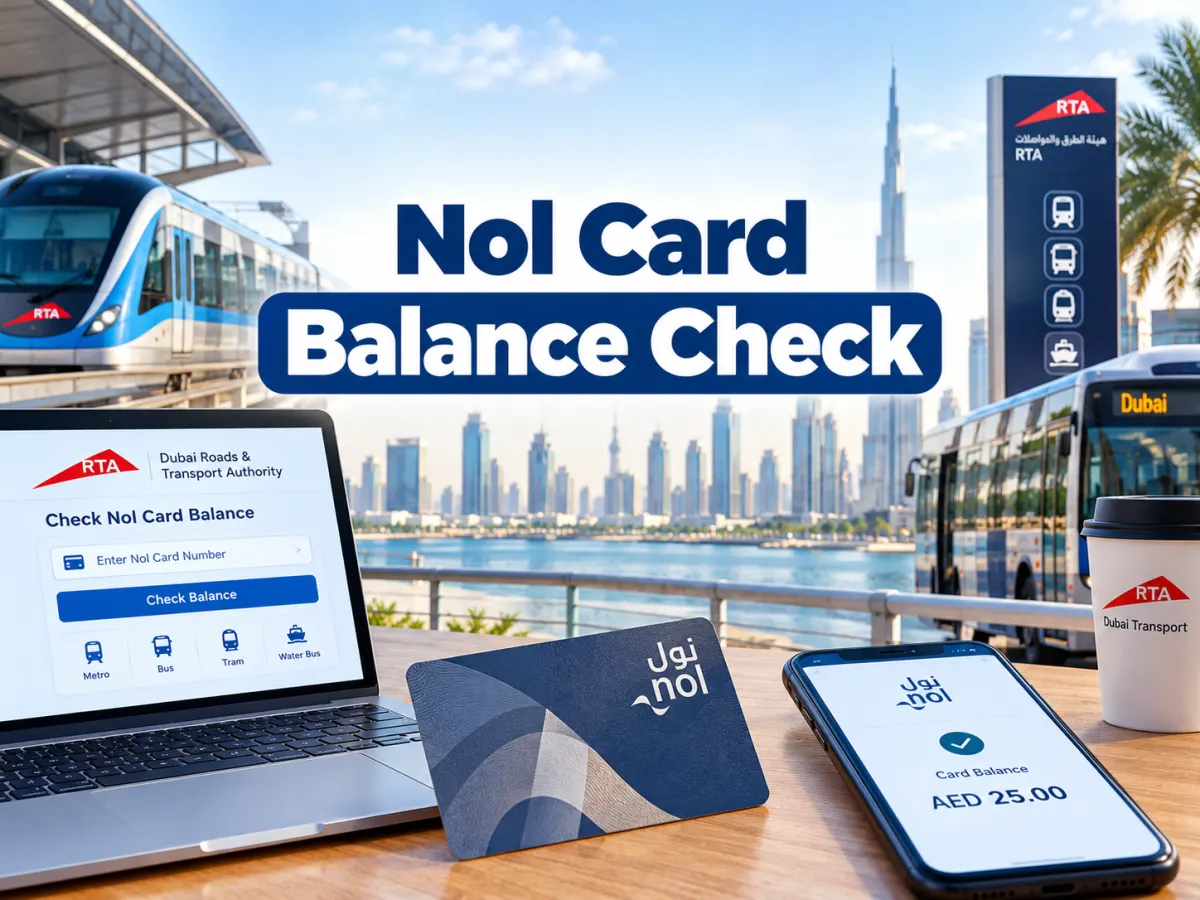
A nol card balance check takes less than a minute in Dubai, and you can do it online with your 10 digit nol tag ID, in the RTA Dubai app, by tapping the card on an NFC phone, or at any Metro ticket machine. The Roads and Transport Authority (RTA) does not charge for checking your balance, so it is worth doing before every long journey.
Quick check: open the Check nol Balance tool on the RTA homepage, type the 10 digit nol tag ID from the back of your card and select search. If you topped up online with the tag ID, allow 45 minutes to 4 hours and then activate the credit, as explained below.
This guide shows each method step by step, explains how much balance you need for the Metro, bus and tram, and fixes the common reasons your balance looks wrong after a top up. It works for Silver, Gold and Blue nol cards, and it also covers the paper Red Ticket and digital nol cards on phones.
How Do You Do a Nol Card Balance Check in Dubai?
You do a nol card balance check by entering the 10 digit nol tag ID on the RTA website or RTA Dubai app, or by tapping the card on a Metro ticket machine or an NFC phone with the nol Pay app. Every method is free and shows your current balance in seconds.
Pick the method that suits where you are right now:
Method
Internet needed
What you need
What you see
RTA website
Yes
10 digit nol tag ID
Current card balance
RTA Dubai app
Yes
10 digit nol tag ID
Balance and quick top up option
nol Pay app with NFC
Yes
NFC enabled phone and the card
Balance and card information read from the chip
Metro ticket machine
No
The physical card
Balance and expiry on screen
Metro gate or bus reader
No
The physical card
Remaining balance after the fare
RTA call centre 800 9090
No
Card details
Help with balance and card issues
If you only have the card in your hand and no data, a ticket machine at any Dubai Metro station is the fastest option. If you are at home, the RTA website is the simplest because it needs no login.
Official Links for Nol Card Services
Use only official RTA channels for a nol card balance check or a top up, because copycat sites ask for card numbers and payment details.
RTA Dubai app and nol Pay app from the official Apple App Store and Google Play listings
RTA call centre: 800 9090
Any website that is not on the rta.ae domain is not run by the RTA, even if it uses the word nol in its name. The same rule applies to fines, so use the steps in our Dubai RTA fine check guide rather than third party sites.
Where Is the Nol Tag ID on Your Card?
The nol tag ID is the 10 digit number printed on the back of your nol card, and it is the number every online balance check asks for. It is different from any longer number or the card colour name on the front.
Silver, Gold and Blue cards: look for the 10 digit number on the back of the card
Personalised Blue card: the same tag ID also links to your RTA account
Digital nol card on a phone: the card details sit inside the nol Pay app or Huawei Wallet
Red Ticket: a paper ticket that you check at a ticket machine, not online
Take a photo of the back of your card once. If the print wears off, you still have the tag ID for balance checks and for reporting a lost card.
How to Check Nol Card Balance Online on the RTA Website
The RTA website lets you check nol card balance online with only the tag ID, without creating an account or downloading anything.
Open the official RTA website on your phone or computer.
Find the nol balance option on the homepage, or go to Public Transport and then nol.
Type the 10 digit nol tag ID from the back of the card.
Select search to see the balance.
Read the balance shown on the result. If it looks low after an online top up, the credit may still be waiting for activation.
The Check nol Balance tool on the RTA homepage asks only for the 10 digit nol tag ID. Source: rta.ae
The RTA lists the online check for Silver, Gold and Blue cards. If you just travelled or just paid, the reading on a ticket machine, Metro gate or the nol Pay app comes straight from the card chip, so use it when you need the exact figure.
How to Check Nol Balance in the RTA Dubai App
The RTA Dubai app shows your nol balance from the tag ID and lets you top up from the same screen, which makes it the handiest option for regular commuters.
Download the RTA Dubai app from the App Store or Google Play.
Open the public transport or nol section on the home screen.
Choose the option to check nol balance.
Enter the 10 digit nol tag ID and confirm.
Read the balance and top up straight away if it is low.
Saving your card inside the app means you do not have to type the tag ID every time. Families can save several cards and check each one in turn.
How to Check Nol Card Balance With Your Phone Using NFC
The nol Pay app reads the balance directly from the card when you hold it against an NFC enabled phone, so you see the real balance stored on the chip.
Install the nol Pay app from your phone’s official app store.
Turn on NFC in your phone settings.
Open the app and choose the option to check card info.
Hold the nol card flat against the back of the phone and keep it still.
Wait for the balance and card information to appear on screen.
If the app cannot read the card, move it slowly around the back of the phone, because the NFC antenna sits in a different place on each model. Phones without NFC reading can still use the tag ID method on the RTA website. The nol Pay app is listed for iPhone, Android and Huawei, and reading a physical card this way is different from holding a virtual card on the phone.
How to Check Nol Card Balance History
A nol card balance history check means seeing where your money went, and the most reliable way is to compare the card reading with the zone fares below. The nol Pay app reads the card information over NFC, and a registered or personal card can be linked to your RTA account so its activity sits in one place.
Read the card in the nol Pay app or on a Metro ticket machine to see the current balance.
Compare each deduction with the fare for the zones you travelled, shown in the fare table in this guide.
Look out for a trip where you forgot to tap out, tapped twice or were charged a higher fare.
If a deduction is wrong, log in to the RTA website with UAE Pass, open Refund and choose Refund Overcharge Claim with your tag ID, the date, route and reason.
The RTA says overcharge claims cover cancelled journeys, failure to check out, swiping the card twice and being charged a higher fare, and approves requests within 7 working days. The refund goes back to the same card or to another nol card.
How to Check Your Balance at a Metro Station or Bus
Ticket vending machines at every Dubai Metro station show your nol balance and expiry date as soon as you place the card on the reader, with no internet or app needed.
Ticket machine: place the card on the reader and keep it there until the balance shows
Metro gate: the gate screen shows the remaining balance when you tap in or out
Bus card reader: the reader shows the balance after the fare is deducted
Customer service counter: station staff can read the card and explain the balance
The same ticket machine lets you top up with cash or a bank card right after the check. This is useful for visitors who do not want to download an app.
Digital Nol Card Balance on Samsung and Huawei Phones
A digital nol card balance shows inside the app that holds the card. The RTA says virtual nol cards work through nol Pay only on compatible Samsung and Huawei phones, and through the wallet of the Huawei Watch 3 and 3 Pro.
Samsung: Silver and Gold cards can be moved into the nol Pay app, and the physical card stops working after that
Huawei: Silver and Gold cards can be added to Huawei Wallet, and the balance shows on the card screen
iPhone: the RTA does not list iPhone for virtual nol cards, so iPhone users carry a physical card and can still read it or top it up with NFC in the nol Pay app
Check the RTA website or app before you digitise a card, because supported phones and features change. Keep the physical card until the digital version shows your full balance. A virtual card tops up instantly in nol Pay, with no second tap needed.
How Much Nol Balance Do You Need to Travel?
The RTA requires a minimum nol card balance of AED 7.50 to enter the Dubai Metro and recommends keeping at least AED 15 on the card, according to the RTA Metro service page.
Fares depend on how many zones you cross and the card you use:
Zones crossed
Silver card
Gold card
Red Ticket
Eligible 50% concession
Within 1 zone
AED 3
AED 6
AED 4
AED 1.50
2 adjacent zones
AED 5
AED 10
AED 6
AED 2.50
More than 2 zones
AED 7.50
AED 15
AED 8.50
AED 3.75
The AED 7.50 minimum matches the highest Silver fare, which is why the gate stops you below it even for a short trip. Gold Class costs double because it uses the premium cabin on the Metro and tram.
The concession column applies only to students and senior Emiratis and residents who hold an approved personal nol card, and People of Determination travel free, as listed by the RTA. A Blue personal card in the adult category pays the standard Silver fare of AED 3, AED 5 or AED 7.50.
A nol balance usually looks wrong because an online top up has not been activated yet, the tag ID was typed wrongly, a fare was overcharged, or the card has expired. Each case has a clear fix.
Online top up not showing
Whether a top up needs activation depends on how you paid, according to the RTA top up service page updated on 29 September 2026.
Where you topped up
Activation needed
When the balance is usable
Ticket machine, ticket office, solar top up machine, authorised agent
No
Instantly
nol Pay app, or S’hail and RTA Dubai apps with NFC
No
Instantly after the second tap
RTA website or Mahboub chatbot
Yes
After 45 minutes to 4 hours, once activated
RTA Dubai, S’hail or Dubai Now apps by typing the tag ID
Yes
After 45 minutes to 4 hours, once activated
Bank apps
Yes
After 45 minutes to 4 hours, once activated
The RTA top up activation table shows which channels need activation and how long to wait. Source: rta.ae
To activate pending credit, read the card in the nol Pay or S’hail app, or use a Metro gate, parking meter or bus solar top up machine. If you use a Metro gate only to activate, check in and check out within 2 minutes so no fare is deducted.
Pending credit must be activated within 180 days, and the RTA sends an SMS and email reminder if it is not. Credit cannot be activated on an expired or blocked card, so in that case submit a refund request through the RTA website, nol Pay or a ticket office machine.
Balance check website not working
If the RTA website says the tag ID is invalid, check that you typed all 10 digits from the back of the card and not a number from the front. If the page will not load, use the RTA Dubai app or a Metro ticket machine instead. If the nol Pay app cannot read the card, remove a thick phone case, turn NFC on and move the card slowly across the back of the phone.
Fare charged twice or too high
A forgotten tap out or a double tap can deduct more than the normal fare. Claim it back through the RTA overcharge refund service described in the balance history section above.
Card expired or blocked
An expired or blocked card cannot activate new credit, and any pending top up on it has to be refunded instead. Silver and Gold cards are valid for five years, so an old card may need replacing at a station.
Red Ticket shows trips, not money
A Red Ticket stores single trips or day passes rather than a cash balance. Check it on a ticket machine, which shows the trips left.
The RTA also sells QR Tickets in the nol Pay and S’hail apps: a digital single trip ticket valid for 90 days from purchase until used, or a 1 Day Pass, as listed on the RTA nol card services page. QR Tickets have no balance to check, because each one is a ticket rather than a stored value card.
How to Top Up After Your Nol Card Balance Check
You can top up a nol card right after checking the balance through the RTA website, the RTA Dubai app, the nol Pay app, Metro ticket machines, ticket offices and selected top up machines at bus stops.
Station machines and NFC top ups in nol Pay load the balance instantly. Top ups made by typing the tag ID on the website or in an app need the 45 minutes to 4 hours wait and an activation tap. The RTA caps each top up through online channels at AED 150, and RTA Dubai and S’hail accept credit cards, debit cards and Apple Pay.
The same nol card also pays for public parking in Dubai, so a low balance can leave you unable to pay at a meter. Our guide to Dubai parking fines and zones explains what happens if parking goes unpaid.
Nol Card Types and Prices at a Glance
Dubai has four main nol options, and the card you hold changes your fare, your maximum balance and your protection if the card is lost.
The official RTA nol cards page lists the Silver, Gold and Blue cards and the Red Ticket. Source: rta.ae
Card
Price
Best for
Maximum balance
Balance protection
Red Ticket
AED 2
Short visits and occasional trips
Up to 10 single trips
No
Silver card
AED 25, including AED 19 credit
Most residents and visitors
AED 1,000 anonymous, AED 5,000 registered
Only if registered
Gold card
AED 25, including AED 19 credit
Gold Class cabins on Metro and tram
AED 1,000 anonymous, AED 5,000 registered
Only if registered
Blue personalised card
AED 70, including AED 20 credit
Residents, and students, seniors and People of Determination who qualify for concessions
AED 5,000
Yes, linked to your RTA account
The RTA nol page confirms that Silver and Gold cards cost AED 25 including AED 19 credit and stay valid for five years, the personal card costs AED 70 including AED 20 credit, and the Red Ticket costs AED 2 and holds up to 10 single trips. The RTA top up page sets the maximum balance at AED 1,000 for anonymous cards and AED 5,000 for registered and personal cards.
What Happens to Your Balance if You Lose the Card?
A lost nol card balance can be recovered only when the card is personal or registered to you, because the RTA can then link the claim to your account and move the remaining balance to the same or another card, under the conditions of its refund service.
An anonymous Silver or Gold card works like cash, so a lost card usually means a lost balance. If you still have the card, the RTA refund service lets you cash out an anonymous card with AED 100 or less at a Metro ticket office for an AED 5 service fee. If you use public transport daily, a personalised Blue card protects your money and unlocks concessions if you qualify.
Nol Card Balance Check: Latest Updates
These are the current points to know as of October 2026:
The RTA Metro service page lists AED 7.50 as the minimum balance and AED 15 as the recommended balance.
Fares remain zone based, with AED 3 to AED 7.50 on a Silver card and double fares for Gold Class.
The RTA lists virtual nol cards only for compatible Samsung and Huawei phones and the Huawei Watch 3 and 3 Pro.
The RTA top up page, updated on 29 September 2026, sets a 45 minutes to 4 hours wait for tag ID top ups, a 180 day activation window and an AED 150 cap per online top up.
Students and senior Emiratis and residents keep a 50% concession, and People of Determination travel free.
RTA now issues digital QR Tickets in the nol Pay and S’hail apps, including a combined QR Ticket with Etihad Rail, according to its service page updated on 29 September 2026.
Conclusion
A nol card balance check is free and quick on every channel: use the RTA website or RTA Dubai app with your 10 digit tag ID, tap the card on an NFC phone, or read it on a Metro ticket machine. Keep at least AED 7.50, ideally AED 15, so the gate never stops you.
If a top up made with the tag ID does not show, wait up to 4 hours and activate it with nol Pay or at a Metro gate. For daily travel, a registered or personal card is the safer choice because its balance can be recovered if the card goes missing.
You can check your nol card balance online by entering the 10 digit nol tag ID on the official RTA website or in the RTA Dubai app. The result shows the card balance, and it does not require an account.
Is the nol card balance check free?
Yes, a nol card balance check is free on the RTA website, the RTA Dubai app, the nol Pay app and Metro ticket machines. The RTA only charges for travel and for buying or replacing cards.
Can I check my nol card balance without the internet?
Yes, you can check your balance without the internet by placing the card on a ticket vending machine at any Dubai Metro station. Metro gates and bus readers also show the remaining balance after each tap.
What is the minimum nol card balance for the Dubai Metro?
The minimum nol card balance for the Dubai Metro is AED 7.50, and the RTA recommends keeping at least AED 15. Below AED 7.50, the entry gate will not open.
Why is my nol card top up not showing?
A top up made on the RTA website or by typing the tag ID in an app takes 45 minutes to 4 hours and then needs activation in nol Pay, at a Metro gate, a parking meter or a bus solar top up machine. Top ups at ticket machines or by NFC in nol Pay load instantly.
Can I check my nol balance without the physical card?
Yes, for a physical card you only need the 10 digit tag ID to do a nol card balance check online. A virtual nol card on a compatible Samsung or Huawei device shows its balance inside nol Pay or the wallet that holds it.
Can I check a Red Ticket balance online?
No, a Red Ticket is a paper ticket that stores trips rather than a cash balance, so you check it at a Metro ticket machine. Online checks are for Silver, Gold and Blue nol cards.
Where do I find the nol tag ID?
The nol tag ID is the 10 digit number printed on the back of your nol card. You need this number for any online nol card balance check or top up.
Anees is a UAE-based content creator, writer, and SEO professional with over 12 years of experience. Since 2014, he has published research-backed guides on UAE visas, labour laws, jobs, traffic fines, and government services, all verified against official sources. He is certified in SEO by HubSpot Academy and Digital Marketing by Google Digital Garage.
12+ Years ExperienceHubSpot Academy — SEOGoogle Digital Garage
Disclaimer: This information is for general guidance only, based on publicly available UAE laws and regulations. It does not constitute legal advice. Always verify with official UAE government sources or a qualified legal professional.






Your email will not be published. Comments are reviewed before appearing.