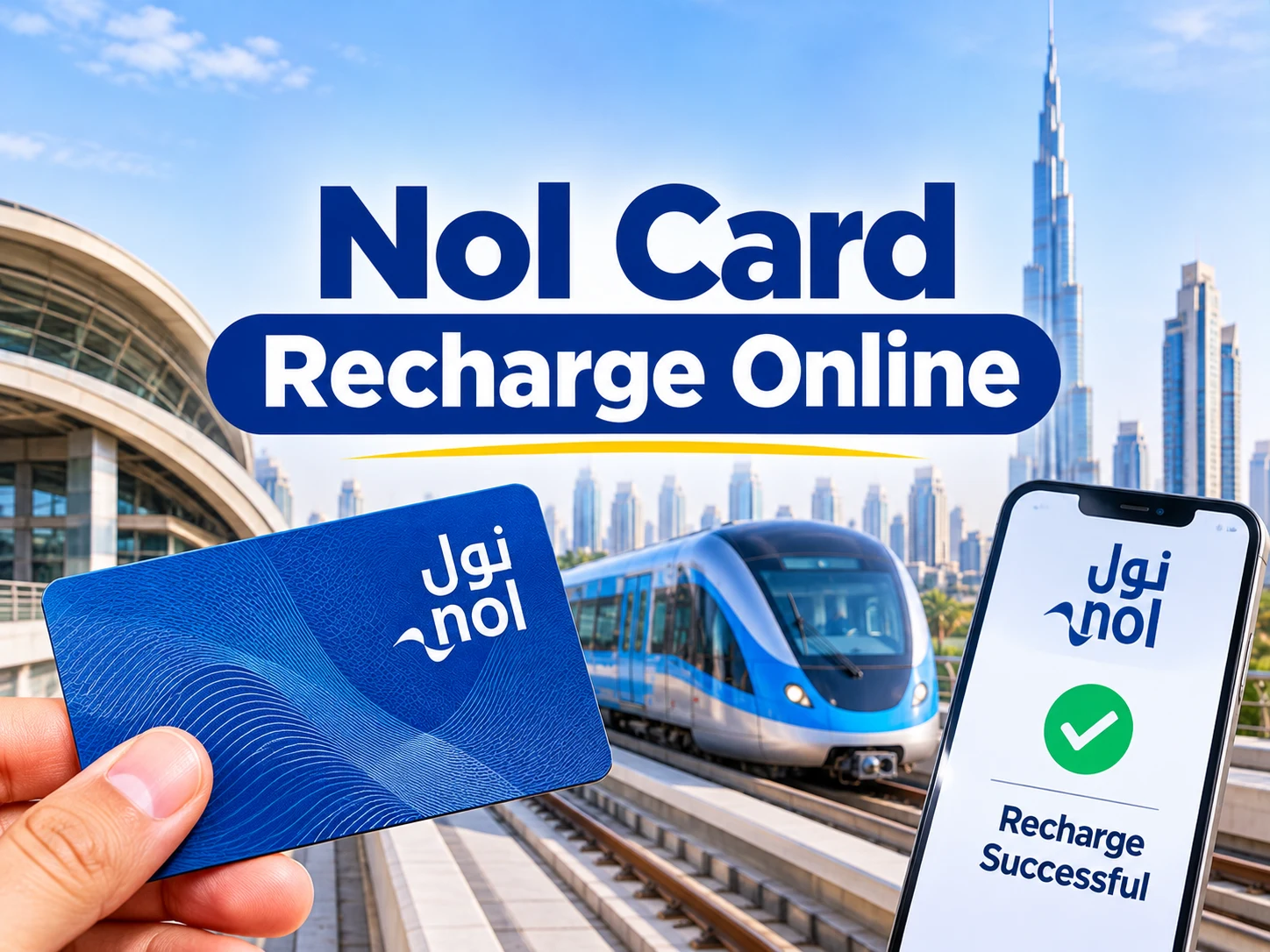
Nol card recharge online is done through the Roads and Transport Authority (RTA) website or the RTA Dubai and S’hail mobile apps, and the added balance must then be activated at a nol device before it shows on the card. RTA sets the limit at AED 1,000 for an anonymous card and AED 5,000 for a personal or registered card.
This guide explains each step, the activation wait of 45 minutes to 4 hours, the other ways to top up, and the AED 20 minimum that applies at Dubai Metro machines.
How to Recharge a Nol Card Online
A nol card can be recharged online by opening the top up option on the official RTA website or in the RTA Dubai or S’hail app, choosing the amount and paying. The screens inside the website and apps can change, so follow the prompts shown there.
Open the RTA nol How page and select the Topup nol card tab, or open the RTA Dubai or S’hail app.
Choose the nol card you want to recharge, whether it is a personal registered card or an anonymous card.
Enter an amount that stays within the limit for your card type.
Complete the payment on the official RTA page or app.
Activate the new balance by tapping the card at an approved nol device after the waiting time.
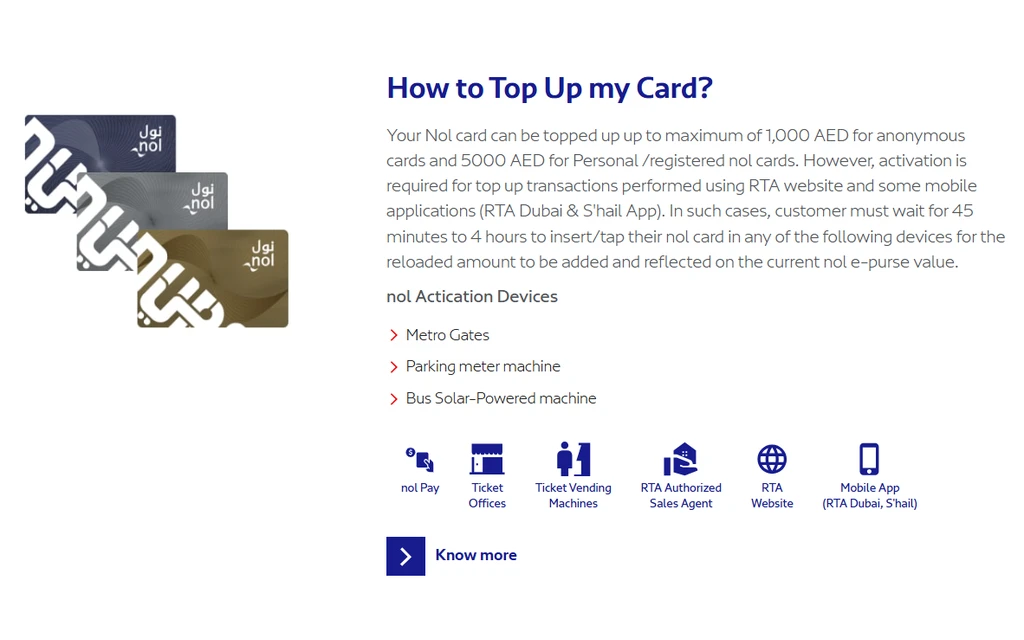
The RTA nol How page states the top up limits and the devices that activate an online top up. Source: rta.ae
Why Does a Nol Card Need Activation After an Online Top Up?
A nol card needs activation after an online top up because the RTA website and some mobile apps load the balance to your account first, and the card picks it up only when it is read by a nol device. RTA says the customer must wait 45 minutes to 4 hours before inserting or tapping the card.
Once the waiting time has passed, tap or insert the card at any of these RTA devices so the reloaded amount is added to the e purse value on the card.
Metro gates
Parking meter machines
Bus solar powered machines
Tapping the card at a Metro gate is the simplest option for most riders. Check the Dubai Metro timings first if you plan to activate the card late at night or on a Sunday morning.
Nol Card Top Up Limits: How Much Can You Add?
RTA allows a top up of up to AED 1,000 on an anonymous nol card and up to AED 5,000 on a personal or registered nol card.
Card type
Maximum top up
Anonymous nol card
AED 1,000
Personal or registered nol card
AED 5,000
Some online channels also set a limit on a single top up, so the amount accepted at payment can be lower than the card limit. A registered card is the better choice for a user who wants to hold a larger balance, because the higher limit applies only to personal and registered cards.
Other Ways to Top Up a Nol Card
A nol card can also be topped up without using the website, through the channels RTA lists on its nol pages.
nol Pay app, which also issues a virtual nol card.
Ticket offices and ticket vending machines.
RTA authorised sales agents.
Solar top up machines at selected bus stops.
Zoom stores.
Tram station ticket vending machines.
Top ups made through the RTA website and some mobile apps are the ones that need activation. Always read the notice on the channel you use, because the rules can differ between machines and apps.
Minimum Nol Card Top Up at Dubai Metro Stations
The minimum top up at Dubai Metro station ticket vending machines is AED 20 per card, effective from 1 March 2025. Each top up must be paid with one payment method, so cash and a card cannot be combined to reach the AED 20.
The rule does not currently apply to Dubai Tram machines. A new nol card bought for AED 25 starts with AED 19 of balance, so the next top up at a Metro machine must also be at least AED 20. Smaller top ups are possible in the nol Pay app, at solar machines at selected bus stops, at Zoom stores and at tram station machines. The full wording is in the official RTA minimum top up FAQ.
How to Check Your Balance After Recharging
The simplest way to confirm a recharge is to check the card balance after the activation tap. Follow the steps in the nol card balance check guide to see the updated e purse value.
If the balance has not changed after 4 hours, tap the card at a Metro gate, a parking meter machine or a bus solar powered machine and check again.
If the card is lost, use the Block a lost card and Apply for Refund tab on the RTA nol How page.
Nol cards also pay for parking. Drivers who rely on parking meters should read the Dubai parking fines guide to avoid penalties.
Which Nol Top Up Channel Should You Choose?
The right nol top up channel depends on how soon you need the balance and how much you want to add. Online top ups are convenient but need an activation wait, while machines at stations are better when you need balance at the gate today.
Your situation
Best channel
You need balance within the hour
A Metro station ticket vending machine, if you can add AED 20 or more
You want to add less than AED 20
nol Pay app, solar machine at a selected bus stop, Zoom store or tram station machine
You want to plan ahead from home
RTA website or the RTA Dubai or S’hail app, then activate after the wait
You hold a large balance
A personal or registered card, which allows up to AED 5,000
You do not have a card yet
Ticket office, ticket vending machine, authorised sales agent or a virtual card in the nol Pay app
What Is the nol Pay App and Does It Replace the Card?
The nol Pay app is the RTA application that issues a virtual nol card, so a phone can act as the card for transport payments. RTA lists nol Pay among its top up channels, and the minimum top up FAQ names it as a way to add smaller amounts than the AED 20 Metro machine minimum.
A physical card is still needed if you prefer to tap a plastic card at gates, or if you rely on machines that read only the physical card. Check the app notice before relying on a virtual card for a late night trip.
Where Can You Use a Nol Card After Topping Up?
A nol card pays for transport and non transport services across Dubai, according to RTA. The same balance covers Metro and tram rides and parking at meters, so a top up planned for the Metro can also support parking.
Topping up online minutes before a trip and expecting the balance to work instantly.
Trying to add a small amount at a Metro station machine that has an AED 20 minimum.
Combining cash and a bank card to reach AED 20 at a Metro machine.
Leaving the first activation tap until the card is needed at a closed station or on a Sunday morning.
Using a card that is no longer valid. If the card is lost or damaged, use the Block a lost card and Apply for Refund tab on the RTA nol How page.
Common Nol Recharge Problems and Fixes
Most nol recharge problems come from the activation wait, the top up limit or the AED 20 Metro minimum.
The balance does not show after an online top up. Wait the full 4 hours, then tap the card at an activation device.
The amount is rejected. Check that the top up does not take the card above its limit.
A Metro machine refuses a small amount. Use the nol Pay app or a solar top up machine instead.
Still stuck. Call the RTA Customer Happiness Centre on 800 9090.
Planning a trip after the top up? The Dubai Metro map guide shows the lines and interchange stations.
Latest Updates
These points were checked on the official RTA pages on 31 October 2026.
The RTA nol How page lists the limits of AED 1,000 and AED 5,000 and the 45 minute to 4 hour activation wait for online top ups.
The AED 20 minimum top up at Dubai Metro station machines has applied since 1 March 2025.
Conclusion
Recharging a nol card online is simple, but the balance is only usable after the activation tap. Stay within the AED 1,000 or AED 5,000 limit, remember the AED 20 minimum at Metro machines, and wait up to 4 hours before checking the balance. More road and transport guides are in the Fines and Violations section.
Nol Card Recharge Online FAQ
How can I recharge my nol card online?
You can recharge a nol card online on the RTA website or in the RTA Dubai or S’hail app. After paying, wait for the activation period and tap the card at a nol device.
How long does an online nol top up take?
An online nol top up needs 45 minutes to 4 hours before the card can be activated. RTA says the customer must wait this long before tapping the card.
What is the maximum nol card top up?
The maximum top up is AED 1,000 for an anonymous nol card and AED 5,000 for a personal or registered card.
What is the minimum nol top up at Metro stations?
The minimum top up at Dubai Metro station machines is AED 20 per card, paid with a single payment method.
Where can I activate my nol card after an online top up?
You can activate the card at Metro gates, parking meter machines and bus solar powered machines.
Can I top up a nol card without going online?
Yes. You can use ticket offices, ticket vending machines, RTA authorised sales agents, solar machines at selected bus stops, Zoom stores, tram station machines or the nol Pay app.
Is the nol Pay app a way to recharge a nol card?
Yes. RTA lists the nol Pay app among its top up channels, and it also issues a virtual nol card.
Does a nol top up have a fee?
RTA does not publish a top up fee on its nol How page. Check the payment screen on the channel you use before confirming.
Who should I call if my nol balance is missing?
Call the RTA Customer Happiness Centre on 800 9090, or chat with Mahboub on the RTA website.
Anees is a UAE-based content creator, writer, and SEO professional with over 12 years of experience. Since 2014, he has published research-backed guides on UAE visas, labour laws, jobs, traffic fines, and government services, all verified against official sources. He is certified in SEO by HubSpot Academy and Digital Marketing by Google Digital Garage.
12+ Years ExperienceHubSpot Academy — SEOGoogle Digital Garage
Disclaimer: This information is for general guidance only, based on publicly available UAE laws and regulations. It does not constitute legal advice. Always verify with official UAE government sources or a qualified legal professional.




Your email will not be published. Comments are reviewed before appearing.